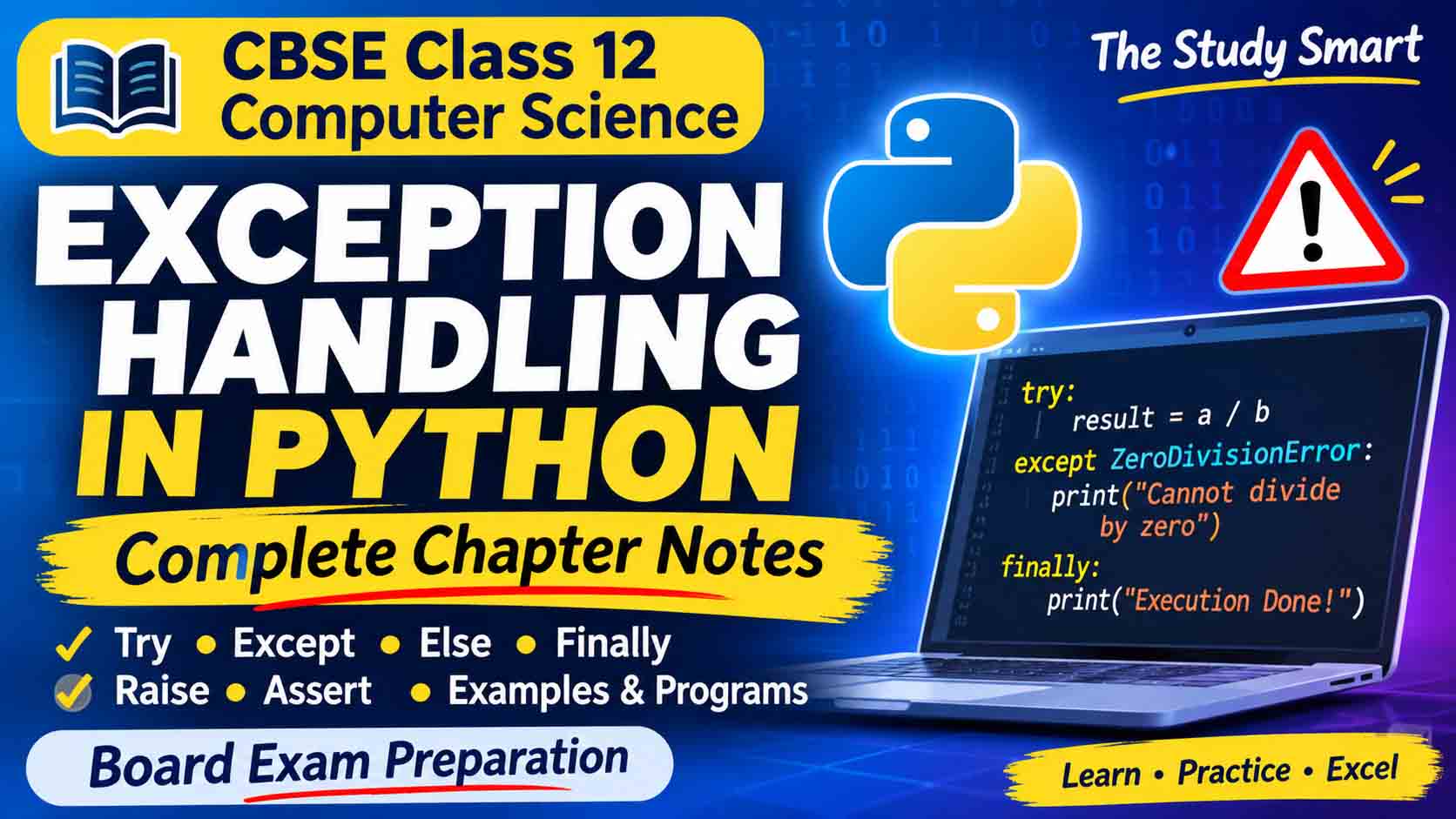
The Study Smart | CBSE Class 12 Computer Science
Exception Handling is an important concept in Python programming. While writing a program, errors may occur due to incorrect input, mathematical operations, missing files or other unexpected situations. Python provides an effective mechanism called Exception Handling to detect and manage such errors without abruptly terminating the program.
In this chapter, we will learn about different types of errors, built-in exceptions, exception handling using try and except, and the use of raise, assert, else and finally statements.
These notes are specially prepared for CBSE Class 12 Computer Science students, with simple explanations, practical Python programs, outputs and important examination points.
Table of Contents
- Introduction to Errors in Python
- Types of Errors
- What is an Exception?
- Difference Between Syntax Error and Exception
- Built-in Exceptions in Python
- Need for Exception Handling
- How Exception Handling Works
- The try Statement
- The except Statement
- Multiple except Blocks
- Generic except Block
- The else Clause
- The finally Clause
- The raise Statement
- The assert Statement
- Difference Between raise and assert
- Exception Handling Flow
- Practical Python Programs
- Important Differences and Revision Tables
- Important Examination Questions
- Frequently Asked Questions
1. Introduction to Errors in Python
An error is a problem in a computer program that prevents it from executing correctly or producing the expected result.
While writing Python programs, a programmer may make mistakes such as:
- Writing incorrect Python syntax.
- Dividing a number by zero.
- Using an undefined variable.
- Entering an incorrect value.
- Accessing an element that does not exist in a list.
- Opening a file that is unavailable.
Python identifies different types of errors and provides mechanisms to handle many of them.
Example:
a = 10
b = 0
c = a / b
print(c)
Output:
ZeroDivisionError: division by zeroThe program stops because division by zero is not permitted in Python.
2. Types of Errors in Python
Errors in Python programming can be broadly classified into three categories:
A. Syntax Errors
Syntax errors occur when the programmer does not follow the grammatical rules of Python.
Python checks the syntax before executing the program.
Example:
if 10 > 5
    print("Ten is greater")
Output:
SyntaxError: expected ':'In the above program, a colon (:) is missing after the if condition.
Common causes of syntax errors:
- Missing colon.
- Missing or unmatched brackets.
- Incorrect use of quotation marks.
- Incorrect Python keywords.
- Incorrect statement structure.
B. Runtime Errors
Runtime errors occur while a program is executing. The statements may be syntactically correct, but an unexpected situation occurs during execution.
Most runtime errors are represented by exceptions in Python.
Example:
a = 20
b = 0
print(a / b)
Output:
ZeroDivisionError: division by zeroOther examples include:
- Dividing by zero.
- Converting invalid text into an integer.
- Accessing an unavailable list index.
- Using an undefined variable.
C. Logical Errors
Logical errors occur when a program executes successfully but produces an incorrect result because of a mistake in the program’s logic.
Example:
length = 10
breadth = 5

area = length + breadth
print("Area =", area)
Output:
Area = 15The program executes without any error, but the formula is incorrect.
The correct formula for the area of a rectangle is:
Area = Length × Breadth
Correct program:
length = 10
breadth = 5

area = length * breadth
print("Area =", area)
Output:
Area = 50Comparison of Different Types of Errors
| Syntax Error | Runtime Error | Logical Error |
|---|---|---|
| Occurs due to incorrect syntax. | Occurs during execution. | Occurs due to incorrect logic. |
| Detected before normal execution. | Detected while executing. | May not be detected automatically. |
| Prevents the program from running. | May stop the program. | Program executes but gives wrong output. |
| Example: Missing colon. | Example: Division by zero. | Example: Incorrect formula. |
3. What is an Exception?
An Exception is an event or error that occurs during the execution of a program and interrupts its normal flow.
Python automatically raises an exception when it encounters an unexpected situation during execution.
An exception is represented as an object in Python.
Example:
num1 = 15
num2 = 0

result = num1 / num2
print(result)
Here, Python raises a ZeroDivisionError exception because the denominator is zero.
Important Terms
1. Raising an Exception: The process of generating an exception when an error occurs.
2. Catching an Exception: The process of identifying and handling a raised exception using an appropriate exception handler.
3. Exception Handler: A block of code written to handle a particular exception.
4. Traceback: A report displayed by Python that provides information about the exception and the sequence of function calls that led to it.
5. Exception Object: An object containing information about an exception, such as its type and error message.
4. Difference Between Syntax Error and Exception
This is an important conceptual topic for CBSE examinations.
| Syntax Error | Runtime Exception |
|---|---|
| Occurs when Python syntax rules are violated. | Occurs during program execution. |
| Detected during parsing. | Detected while executing statements. |
| Normal execution cannot begin until the syntax error is corrected. | A suitable handler can manage the exception. |
| Example: Missing colon. | Example: ZeroDivisionError. |
Important Note: SyntaxError is itself a subclass of Python’s Exception class. However, a syntax error in the program being executed is normally detected before its statements run.
5. Built-in Exceptions in Python
Python provides several predefined exceptions to identify common programming errors.
These are called Built-in Exceptions.
The following exceptions are important for Class 12 Computer Science.
1. ZeroDivisionError
Raised when a number is divided or modulo-operated by zero.
Example:
a = 10
b = 0
print(a / b)
Output:
ZeroDivisionError: division by zero2. ValueError
Raised when a function receives an argument of the correct data type but an inappropriate value.
Example:
num = int("Hello")Output:
ValueError: invalid literal for int()3. TypeError
Raised when an operation or function is applied to an object of an inappropriate data type.
Example:
a = 10
b = "Hello"
print(a + b)
Output:
TypeError4. NameError
Raised when a variable or name is used without being defined.
Example:
print(marks)Output:
NameError: name 'marks' is not defined5. IndexError
Raised when an attempt is made to access an index that does not exist in a sequence such as a list or tuple.
Example:
numbers = [10, 20, 30]
print(numbers[5])
Output:
IndexError: list index out of range6. ImportError
Raised when an imported module or requested name cannot be imported.
Example:
from math import unknown_functionOutput:
ImportError7. ModuleNotFoundError
Raised when Python cannot find the specified module.
Example:
import mymodule123Output:
ModuleNotFoundErrorNote: ModuleNotFoundError is a subclass of ImportError.
8. IOError
Associated with input/output operations that fail, such as file access problems.
In modern Python, IOError is an alias of OSError.
Example:
f = open("unknown.txt", "r")If the file does not exist, Python normally raises FileNotFoundError, which belongs to the OSError family.
9. EOFError
Raised when the input function encounters the end of input unexpectedly.
Example:
data = input("Enter something: ")This exception can occur when no more input is available.
10. KeyboardInterrupt
Raised when the user interrupts program execution, commonly by pressing Ctrl+C.
11. IndentationError
Raised when the indentation of Python statements is incorrect.
Example:
if 10 > 5:
print("Hello")
Output:
IndentationError12. OverflowError
Raised when the result of an arithmetic operation is too large for a particular numeric operation to represent.
Example:
import math
print(math.exp(1000))
This may raise OverflowError.
Summary of Built-in Exceptions
| Exception | Reason |
|---|---|
| ZeroDivisionError | Division or modulo by zero |
| ValueError | Correct data type but invalid value |
| TypeError | Inappropriate data type |
| NameError | Undefined variable or name |
| IndexError | Invalid sequence index |
| ImportError | Import operation fails |
| ModuleNotFoundError | Module cannot be found |
| IOError | Input/output operation failure |
| EOFError | Unexpected end of input |
| KeyboardInterrupt | User interrupts execution |
| IndentationError | Incorrect indentation |
| OverflowError | Arithmetic result exceeds supported range |
| SyntaxError | Incorrect Python syntax |
Exam Tip: Remember the difference between ValueError and TypeError. They are frequently confused.
6. Need for Exception Handling
Exception handling is required to manage unexpected errors during program execution.
Without exception handling, an unhandled exception may terminate a program abruptly.
Advantages of Exception Handling
- Prevents abnormal termination when an exception is properly handled.
- Helps maintain the normal flow of a program.
- Provides meaningful error messages.
- Makes programs more reliable.
- Separates error-handling code from normal program logic.
- Helps programmers identify and manage unexpected situations.
Example without Exception Handling:
a = 20
b = 0

print(a / b)
print("Program completed")
Output:
ZeroDivisionError: division by zeroThe last print statement is not executed.
Example with Exception Handling:
a = 20
b = 0

try:
    print(a / b)

except ZeroDivisionError:
    print("Cannot divide by zero")

print("Program completed")
Output:
Cannot divide by zero
Program completed
Here, the exception is handled and the program continues executing.
7. How Exception Handling Works
When an exception occurs, Python follows a process to find an appropriate handler.
The main steps are:
Step 1: Throwing an Exception
When an error occurs, Python creates an exception object and raises it.
Step 2: Searching for a Handler
Python searches for a suitable exception handler, beginning in the current block and then moving through the sequence of function calls (call stack).
Step 3: Catching the Exception
If a matching exception handler is found, Python transfers control to that handler.
Step 4: Termination if No Handler Exists
If no suitable handler is found, the exception remains unhandled and the program terminates with an error report. A finally block, if present, executes during the exit from the try statement.
8. The try Statement
The try statement is used to enclose a block of code that may generate an exception.
The statements inside the try block are executed normally unless an exception occurs.
Syntax:
try:
    statement1
    statement2
    statement3
Example:
try:
    a = 10
    b = 2
    c = a / b
    print("Result =", c)

except ZeroDivisionError:
    print("Division by zero is not allowed")
Output:
Result = 5.0Since no exception occurs, the except block is skipped.
9. The except Statement
The except statement is used to handle an exception raised inside the preceding try block.
If an exception occurs, Python checks the except blocks to find a matching exception type.
Syntax:
try:
    # Statements that may cause an exception

except ExceptionName:
    # Statements to handle the exception
Example:
try:
    num = int(input("Enter a number: "))
    print("Number =", num)

except ValueError:
    print("Please enter a valid integer")
If the user enters a non-numeric value, Python raises ValueError and executes the except block.
10. Multiple except Blocks
A single try block can have multiple except blocks to handle different types of exceptions.
This allows the programmer to display different messages for different errors.
Syntax:
try:
    statements

except Exception1:
    statements

except Exception2:
    statements

except Exception3:
    statements
Example:
try:
    a = int(input("Enter first number: "))
    b = int(input("Enter second number: "))

    result = a / b
    print("Result =", result)

except ValueError:
    print("Please enter integers only")

except ZeroDivisionError:
    print("Division by zero is not allowed")
Possible Output 1:
Enter first number: 20
Enter second number: 4
Result = 5.0
Possible Output 2:
Enter first number: 20
Enter second number: 0
Division by zero is not allowed
Possible Output 3:
Enter first number: abc
Please enter integers only
Only the first matching except block is executed.
11. Generic except Block
A generic except block is used to handle exceptions when the programmer does not specify a particular exception type.
Syntax:
try:
    statements

except:
    statements
Example:
try:
    a = 10
    b = 0
    print(a / b)

except:
    print("An error has occurred")
Output:
An error has occurredImportant Points
- A generic except block can catch many exceptions derived from the normal
Exceptionhierarchy. - It should be placed after specific except blocks.
- A bare
except:can also catch exceptions such asKeyboardInterruptandSystemExit, so usingexcept Exception:is generally safer for ordinary application errors.
Correct order:
try:
    # Risky code

except ValueError:
    print("Invalid value")

except ZeroDivisionError:
    print("Division error")

except Exception:
    print("Other error")
12. The else Clause
The else clause is an optional part of exception handling.
It is executed only when no exception occurs inside the try block.
Syntax:
try:
    statements

except ExceptionName:
    statements

else:
    statements
Example:
try:
    a = int(input("Enter first number: "))
    b = int(input("Enter second number: "))

    result = a / b

except ZeroDivisionError:
    print("Cannot divide by zero")

except ValueError:
    print("Invalid input")

else:
    print("Division successful")
    print("Result =", result)
Output when input is valid:
Enter first number: 20
Enter second number: 5
Division successful
Result = 4.0
The else block executes because no exception occurs.
Output when denominator is zero:
Enter first number: 20
Enter second number: 0
Cannot divide by zero
The else block is skipped.
Important Points
- The else clause is optional.
- It must appear after all except clauses.
- It executes only when the try block completes without raising an exception.
- It cannot be used independently without a preceding try statement.
13. The finally Clause
The finally clause is an optional block that executes when control leaves the try statement, regardless of whether an exception occurs or is handled.
It is mainly used for cleanup activities.
Examples include:
- Closing an opened file.
- Releasing resources.
- Closing database connections.
- Performing necessary final operations.
Syntax:
try:
    statements

except ExceptionName:
    statements

finally:
    statements
Example:
try:
    a = 10
    b = 0
    print(a / b)

except ZeroDivisionError:
    print("Cannot divide by zero")

finally:
    print("Program execution completed")
Output:
Cannot divide by zero
Program execution completed
The finally block executes even though an exception occurred.
Example Without Exception
try:
    a = 10
    b = 2
    print(a / b)

except ZeroDivisionError:
    print("Division error")

finally:
    print("Finally block executed")
Output:
5.0
Finally block executed
Important Points
- The finally clause is optional.
- It executes whether an exception occurs or not during normal control flow.
- It is generally used for cleanup operations.
- It can execute even when no matching except block is available, before an unhandled exception propagates.
- It should be placed after the except and else clauses.
14. Difference Between else and finally
This is one of the most important differences in this chapter.
| else Clause | finally Clause |
|---|---|
| Executes only if no exception occurs in try. | Executes on normal exits from the try statement, whether an exception occurs or not. |
| Used for success-related statements. | Used for cleanup operations. |
| Skipped when an exception occurs. | Normally executes even when an exception occurs. |
| Optional. | Optional. |
| Comes after except blocks. | Comes at the end of the try structure. |
Remember:
else= Executes on success.finally= Executes during cleanup on exit.
15. The raise Statement
The raise statement is used to explicitly raise an exception in a Python program.
Python automatically raises exceptions when certain errors occur. However, programmers can also raise exceptions whenever required by their program logic.
Syntax:
raise ExceptionNameOr:
raise ExceptionName("Error message")Example 1:
age = 15

if age < 18:
    raise ValueError("Age must be 18 or above")

print("Eligible")
Output:
ValueError: Age must be 18 or aboveThe exception is raised because the age is less than 18.
Example 2: Handling a Raised Exception
try:
    age = 15

    if age < 18:
        raise ValueError("Not eligible")

except ValueError as e:
    print("Error:", e)

print("Program completed")
Output:
Error: Not eligible
Program completed
Understanding as e
The expression:
except ValueError as e:stores the caught exception object in the variable e.
We can display its message using:
print(e)Important Points
raiseexplicitly generates an exception.- It can raise built-in as well as user-defined exceptions.
- It interrupts normal execution at the point where it is raised.
- Control transfers to the nearest matching exception handler.
- A custom error message can be supplied.
16. The assert Statement
The assert statement is used to test whether a particular condition is true.
It is mainly useful for checking assumptions during program development and testing.
If the condition is true, the program continues normally.
If the condition is false, Python raises an AssertionError.
Syntax:
assert conditionOr:
assert condition, "Error message"Example 1: Condition is True
age = 20

assert age >= 18

print("Condition satisfied")
Output:
Condition satisfiedSince the condition is true, the program continues.
Example 2: Condition is False
age = 15

assert age >= 18

print("Eligible")
Output:
AssertionErrorThe program stops before executing the print statement because the assertion condition is false.
Example 3: Assert with an Error Message
marks = 25

assert marks >= 33, "Student has failed"

print("Student has passed")
Output:
AssertionError: Student has failedImportant Points
- The assert statement tests a condition.
- If the condition is true, execution continues.
- If the condition is false, an
AssertionErroris raised. - An optional message can be included.
- Assertions are useful for debugging and checking internal assumptions.
- Assertions can be disabled when Python is run with optimization (
-O). Therefore, they should not be used as the only method of validating user input or enforcing security rules.
17. Difference Between raise and assert
| raise Statement | assert Statement |
|---|---|
| Used to explicitly raise an exception. | Used to test a condition. |
| Programmer specifies the exception. | Automatically raises AssertionError when the condition is false. |
| Can raise built-in or user-defined exceptions. | Raises AssertionError. |
| Suitable for enforcing program rules and reporting invalid situations. | Mainly useful for debugging and checking assumptions. |
| Cannot be disabled using Python’s optimization option. | Can be disabled using the -O option. |
18. Complete try-except-else-finally Structure
Python allows all four blocks to be used together.
Syntax:
try:
    # Code that may cause an exception

except ExceptionName:
    # Handle the exception

else:
    # Execute when no exception occurs

finally:
    # Execute during exit from the try statement
Practical Example
try:
    num1 = int(input("Enter first number: "))
    num2 = int(input("Enter second number: "))

    result = num1 / num2

except ValueError:
    print("Please enter valid numbers")

except ZeroDivisionError:
    print("Cannot divide by zero")

else:
    print("Division successful")
    print("Result =", result)

finally:
    print("Thank you for using this program")
Output 1: Successful Execution
Enter first number: 20
Enter second number: 4
Division successful
Result = 5.0
Thank you for using this program
Output 2: Division by Zero
Enter first number: 20
Enter second number: 0
Cannot divide by zero
Thank you for using this program
Output 3: Invalid Input
Enter first number: abc
Please enter valid numbers
Thank you for using this program
19. Practical Python Programs for Students
Program 1: Handle Division by Zero
try:
    a = int(input("Enter numerator: "))
    b = int(input("Enter denominator: "))

    print("Result =", a / b)

except ZeroDivisionError:
    print("Denominator cannot be zero")
Program 2: Handle ValueError
try:
    num = int(input("Enter an integer: "))
    print("Number =", num)

except ValueError:
    print("Invalid integer entered")
Program 3: Handle Multiple Exceptions
try:
    a = int(input("Enter first number: "))
    b = int(input("Enter second number: "))

    print(a / b)

except ValueError:
    print("Enter numeric values")

except ZeroDivisionError:
    print("Cannot divide by zero")

except Exception:
    print("Some other error occurred")
Program 4: Use of raise
try:
    marks = int(input("Enter marks: "))

    if marks < 0 or marks > 100:
        raise ValueError("Marks must be between 0 and 100")

    print("Marks =", marks)

except ValueError as e:
    print("Error:", e)
Program 5: Use of assert
num = 10

assert num > 0, "Number must be positive"

print("Valid number")
Program 6: Use of finally
try:
    x = 10
    y = 2

    print("Result =", x / y)

except ZeroDivisionError:
    print("Division error")

finally:
    print("Execution completed")
20. Important Examination Revision Table
| Keyword | Purpose |
|---|---|
| try | Contains statements that may cause exceptions. |
| except | Handles an exception. |
| else | Executes when no exception occurs in try. |
| finally | Executes during exit from the try statement. |
| raise | Explicitly raises an exception. |
| assert | Tests a condition and raises AssertionError if false. |
Important Points to Remember
- An exception is an error that occurs during program execution.
- Syntax errors are detected during parsing.
- Logical errors produce incorrect results.
ZeroDivisionErroroccurs when division or modulo is performed by zero.ValueErroroccurs when a function receives an inappropriate value of the correct type.TypeErroroccurs when an operation is performed on an inappropriate data type.NameErroroccurs when an undefined name is used.IndexErroroccurs when an invalid sequence index is accessed.- A single try block can have multiple except blocks.
- A generic exception handler should be placed after specific handlers.
- The else block executes only when no exception occurs in the try block.
- The finally block is used for cleanup operations.
- The raise statement explicitly raises an exception.
- The assert statement raises AssertionError if its condition is false.
21. Important Examination Questions
Very Short Answer Questions
Q1. What is an exception in Python?
Answer: An exception is an event that occurs during program execution and interrupts the normal flow of the program.
Q2. Which keyword is used to handle an exception?
Answer: except.
Q3. Which exception occurs when a number is divided by zero?
Answer: ZeroDivisionError.
Q4. Which statement is used to explicitly raise an exception?
Answer: raise.
Q5. Which clause executes only when no exception occurs?
Answer: else.
Q6. Which clause is used for cleanup operations?
Answer: finally.
Q7. Which exception is raised when an undefined variable is used?
Answer: NameError.
Q8. Which exception is raised when an assertion condition becomes false?
Answer: AssertionError.
Short Answer Questions
Q1. Define exception handling.
Answer: Exception handling is a mechanism in Python used to detect and manage runtime errors so that a program can respond appropriately instead of terminating unexpectedly.
Q2. Explain the use of the try and except blocks.
Answer: The try block contains statements that may generate an exception. The except block contains statements to handle the exception if it occurs.
Q3. What is the difference between ValueError and TypeError?
Answer: ValueError occurs when a function receives an argument of the correct type but an inappropriate value. TypeError occurs when an operation is applied to an inappropriate data type.
Q4. What is the use of the finally clause?
Answer: The finally clause is used to execute cleanup statements when control leaves the try statement, whether an exception occurs or not during normal execution.
Q5. What is the purpose of the assert statement?
Answer: The assert statement checks whether a given condition is true. If the condition is false, Python raises an AssertionError.
Long Answer Questions
- Explain the different types of errors in Python with suitable examples.
- What is exception handling? Explain the complete process of handling exceptions.
- Explain the try, except, else and finally clauses with suitable Python programs.
- Explain any six built-in exceptions in Python with examples.
- Differentiate between the raise and assert statements.
- Write a Python program to handle ZeroDivisionError and ValueError using multiple except blocks.
22. Frequently Asked Questions (FAQs)
Q1. What is Exception Handling in Python?
Exception Handling is a mechanism used to handle runtime errors so that a program can respond to unexpected situations without terminating abruptly.
Q2. What are the main keywords used in exception handling?
The main keywords are try, except, else, finally, raise and assert.
Q3. Can one try block have multiple except blocks?
Yes. One try block can have multiple except blocks to handle different types of exceptions.
Q4. Is the finally block always executed?
The finally block executes during normal control-flow exits from the try statement, including when an exception is raised or handled. Certain abrupt process termination scenarios can prevent its execution.
Q5. What is the difference between an error and an exception?
An error is a general term for a problem in a program. An exception is a specific event represented by Python’s exception mechanism that interrupts normal program execution.
Q6. Can we raise our own exceptions in Python?
Yes. Programmers can use the raise statement to explicitly raise built-in or user-defined exceptions.
Q7. What happens when an exception is not handled?
If no suitable handler is found, Python displays a traceback and terminates the program’s current execution.
Conclusion
Exception Handling is an essential concept in Python programming. It helps programmers identify and manage unexpected errors, making applications more reliable and user-friendly.
For CBSE Class 12 Computer Science examinations, students should pay special attention to the difference between syntax errors and exceptions, built-in exceptions, multiple except blocks, and the working of try, except, else and finally.
Students should also practise Python programs using raise and assert statements and understand their outputs.
Keep learning, keep practising and prepare confidently for your CBSE examinations!
The Study Smart – Your Learning Partner for CBSE Notes and Entrance Exam Preparation.