







Technical Workflow Report: Automated Professional Documentary Production
1. Executive Overview of the Automation Pipeline
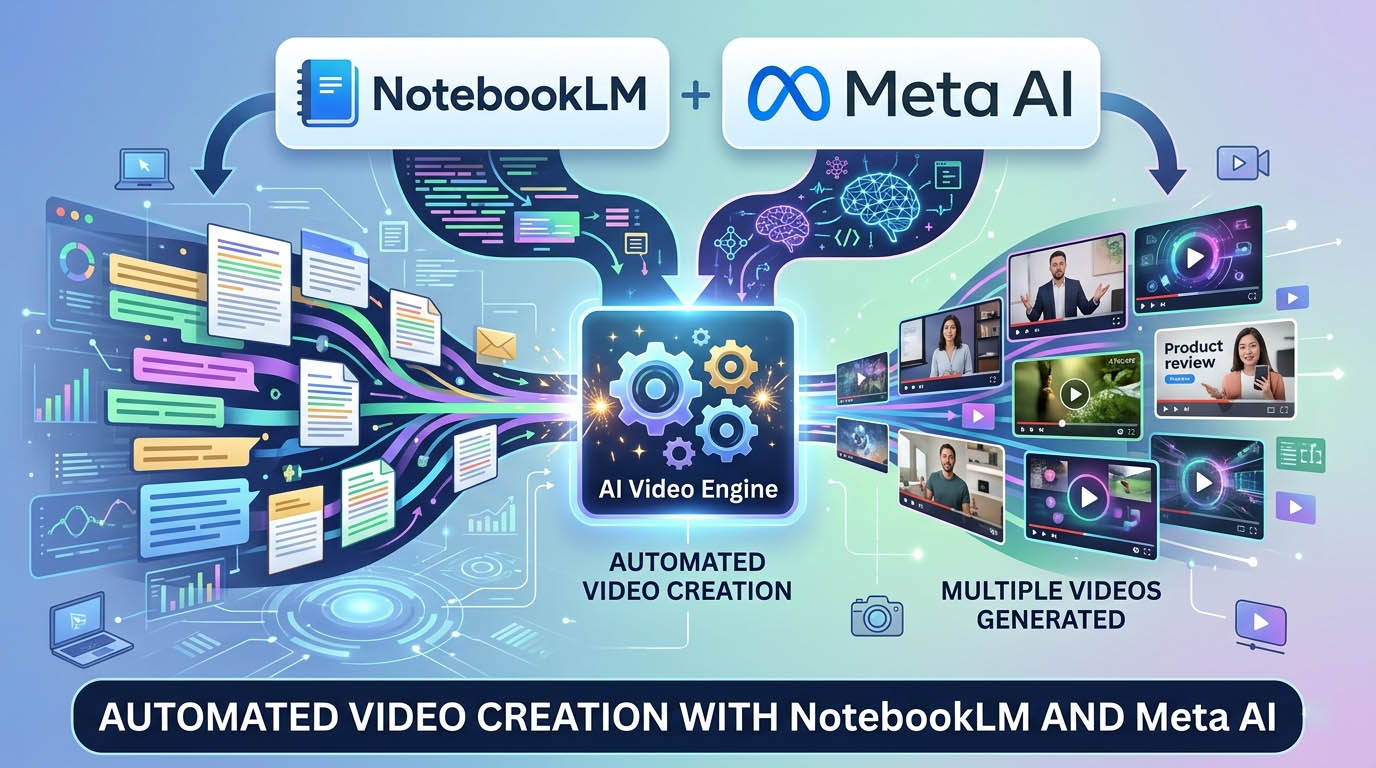
This technical report outlines a high-efficiency, zero-cost automation pipeline designed to reduce professional documentary production time from several days to hours. This workflow is optimized for “High-Retention” content by utilizing viral data as a foundational baseline, ensuring that the final output is both attention-grabbing and factually accurate. By leveraging the synergy of specialized AI tools, creators can achieve high-fidelity results suitable for mystery, finance, and storytelling genres without overhead costs.
Primary Software Stack:
- NotebookLM: A research and scripting tool used to extract and organize data from curated sources to eliminate hallucinations.
- ChatGPT: Acts as the strategic “bridge” to convert scripts into granular, line-by-line visual and motion instructions.
- VISK AI: A high-consistency image generation engine for creating 16:9 cinematic assets.
- Meta AI: A free, watermark-free animation platform used to convert static images into high-quality motion clips.
- 11 Labs: A premier speech synthesis platform for professional documentary narration.
- CapCut: A post-production suite for final assembly, synchronization, and optimization.
2. Phase 1: Research and Scripting via NotebookLM
To guarantee zero chances of fake information and ensure the script structure is proven to grab attention, this phase utilizes existing viral content as the data foundation.
- Source Acquisition: Identify 4–5 viral YouTube videos related to the target topic. Copy the links by clicking the three dots on the video, selecting the Share menu, and clicking Copy.
- Initializing NotebookLM: Open NotebookLM and select Create New Notebook.
- Inserting Sources: Select the Website source option and paste the viral YouTube links. Click Insert. The AI will analyze the videos to generate a detailed summary.
- Organizing Data: Click Save to Notes. This summary will now appear in the Studio section.
- Converting to Source: Click the three dots on the note within the Studio section and select Convert to Source. This step locks the AI to the provided data, ensuring factual integrity.
- Script Generation: Paste the master scripting prompt into the box. Define the Video Topic and the Desired Duration (e.g., 5 Minutes).
- Output: Copy the generated script to a local notepad for the next phase.
3. Phase 2: Visual Concept and Prompt Engineering (ChatGPT)
In this stage, ChatGPT serves as the technical architect, translating the narrative into specific asset-generation instructions.
- Context Loading: Paste the entire script into ChatGPT first. This provides the AI with the complete storyline context.
- Segmented Generation: Feed the script to the AI paragraph by paragraph. This iterative approach prevents a loss of detail in the visual prompts.
- Mandatory Output Requirements: For every line of the script, ChatGPT must generate:
- An Image Prompt (for the static asset).
- An Animation Prompt (for motion direction).
- The Storyline Context (a brief label identifying the scene to prevent editor confusion during assembly).
4. Phase 3: High-Consistency Image Asset Generation (WHISK AI)
WHISK AI is utilized to generate the visual foundation while maintaining character and stylistic uniformity.
- Technical Configuration: Navigate to VISK AI and set the Aspect Ratio to 16:9.
- Initial Generation: Paste the first Image Prompt and click generate.
- Seed Locking for Aesthetic DNA: Once the first image is generated, click the Lock Icon to enable Seed Locking. This ensures all subsequent images share the same “Aesthetic DNA,” maintaining visual consistency across the documentary.
- Asset Selection: The tool generates two options for every prompt. Review and download the asset that best fits the scene. Repeat this for all prompts generated in Phase 2.
5. Phase 4: Dynamic Animation and Video Generation (Meta AI)
This phase converts static assets into cinematic motion clips using Meta AI.
- Access: Log in to Meta AI via a Facebook or Instagram account.
- Configuration: Select Create, then choose the Video option (via the image upload icon).
- Asset Upload: Click the Plus (+) icon to upload a VISK AI image.
- Applying Motion: Paste the corresponding Animation Prompt from Phase 2 into the prompt box and click Animate.
- Iterative Refinement: Review the motion. If the result is suboptimal, adjust the prompt and regenerate.
- Batch Processing: Once a clip is downloaded, click the Cross (X) icon to clear the current asset before uploading the next image. This ensures a clean workflow for batch generation.
6. Phase 5: High-Fidelity Audio Production (11 Labs)
Professional narration is the backbone of the documentary format.
- Setup: Navigate to 11 Labs and select Sign up with Google for efficient access.
- Interface: Select the Instant Speech feature.
- Voice Profile: Paste the full script. Select a Deep and Calm voice profile; the ‘Viraj’ character is specifically recommended for documentary narration.
- Generation: Click Generate Speech and download the audio file.
- Audio Flow Optimization: Optionally, process the file through Lexis Audio Editor to improve the “audio flow” and professionalize the pacing.
7. Phase 6: Final Post-Production and Assembly (CapCut)
The final assembly synchronizes all AI-generated assets into a cohesive professional product.
- Media Import: Open CapCut, start a New Project, and import all Meta AI video clips and the 11 Labs audio.
- Synchronization: Align each motion clip on the timeline to match the corresponding narration in the audio track.
- Automated Transitions: To maintain a somber documentary tone, apply the Black Fade transition between clips. Use the Apply to All button to ensure uniform pacing across the entire project.
- Mandatory Export Settings:
- Resolution: 1080p
- Frame Rate: 60fps
8. Technical Optimization and Troubleshooting
| Problem | Solution |
| 11 Labs regional unavailability | Consult “Top 5 Free AI Voice Generators” for alternative localized tools. |
| Visual “Aesthetic DNA” drift | Verify the Lock Icon (Seed Locking) is active in VISK AI after the first generation. |
| Narrative hallucinations | Ensure the Convert to Source function was used in the NotebookLM Studio section. |
| Awkward motion in clips | Refine the Animation Prompt in Meta AI to be more descriptive and regenerate. |
Efficiency Hacks
- Viral Provenance: Using viral YouTube links as sources in NotebookLM guarantees the script structure is pre-optimized for high audience retention.
- Storyline Context: Always ensure ChatGPT includes the Storyline Context with each prompt to eliminate time lost identifying assets during the CapCut assembly.
- Batch Workflow: Complete all image generations in VISK AI before starting the Meta AI animation phase to maximize production speed.
PROMPTS
Scripting Prompt:
You are a 2026-grade Documentary Narrative Intelligence Engine.
Your task is to write a suspenseful, cinematic, fact-based Hindi documentary narration script.
IMPORTANT SOURCE RULE:
You MUST primarily rely on the uploaded source transcripts.
Analyze their:
– Tone
– Storytelling structure
– Suspense pacing
– Hook style
– Emotional rhythm
– Information density
– Fact presentation style
Then generate a NEW original script in the same storytelling DNA,
but adapted specifically to: [VIDEO TOPIC]
Do NOT copy sentences.
Do NOT summarize transcripts.
Do NOT change core verified facts.
Use transcripts as structural inspiration and factual backbone.
━━━━━━━━━━━━━━━━━━━━━━
SCRIPT REQUIREMENTS:
Duration: [MENTION DURATION]
(Assume 150 words per minute)
Total word count should match duration accurately.
Narration only.
No headings.
No timestamps.
No scene directions.
No bullet points.
━━━━━━━━━━━━━━━━━━━━━━
STRUCTURE FLOW:
1. Open with a powerful cinematic hook.
It must create immediate tension, curiosity, or shock.
2. Gradually build suspense using layered storytelling.
Reveal information in stages — not all at once.
3. Maintain emotional engagement.
Use dramatic pauses in writing style (short impactful sentences).
4. Use simple, clear Hindi.
Avoid complex Sanskrit words.
Keep it conversational but cinematic.
5. Blend facts naturally inside storytelling.
No textbook explanation tone.
6. Keep narrative immersive and intense.
Make viewer feel inside the event.
7. End with a powerful closing line
that leaves emotional or psychological impact.
━━━━━━━━━━━━━━━━━━━━━━
STYLE INSTRUCTIONS:
Tone: Suspenseful, serious, investigative
Emotion: Controlled but intense
Pacing: Slow build → High tension → Deep conclusion
Language: Simple Hindi, cinematic rhythm
Audience retention focus: High
Avoid:
– Over-dramatization beyond facts
– Repetition
– Robotic explanations
– List-style narration
This must feel like a high-retention YouTube documentary
similar in depth and cinematic tension to viral investigative channels.
Now generate the full narration script.
Image & Video Prompt:
YOU ARE A SCRIPT-LOCKED DOCUMENTARY VISUAL ENGINE.
—
🚨 CRITICAL RULE:
Every visual prompt MUST be attached to an EXACT SCRIPT LINE.
No generic Audio From–To.
No vague mapping.
No skipping.
—
🔒 SCRIPT LOCK PROTOCOL
For EVERY shot, you MUST include:
Scene ID:
Line ID:
Shot ID:
Exact Script Line (FULL sentence quoted)
Exact Words This Shot Covers:
“” → “”
If line is long:
Split into:
Part 1
Part 2
Part 3
Each with exact quoted phrase.
—
👤 REAL PERSONALITY IDENTITY PRECISION LOCK (NON-NEGOTIABLE)
If the script mentions any REAL famous personality
(example: Narendra Modi, Indira Gandhi, Bhagat Singh, etc.):
You MUST:
1. Generate detailed physical appearance description including:
• Face structure
• Hairstyle
• Facial hair (if any)
• Age-appropriate look
• Skin tone
• Typical clothing style
• Recognizable posture/body language
• Signature expressions
2. Ensure the generated image clearly resembles that real person
(in DOCUMENTARY style visual realism).
3. Maintain appearance consistency across all future scenes.
4. Do NOT generate a generic politician/leader.
It must visually feel like THAT specific personality.
5. Maintain cinematic documentary realism.
No cartoon. No stylization.
If personality appears again later:
Use (Appearance Continuity Maintained) note.
If identity detailing is missing → OUTPUT IS INVALID.
—
🎬 OUTPUT STRUCTURE (STRICT)
—
━━━━━━━━━━━━━━━━━━
🎙️ SCRIPT LINE
━━━━━━━━━━━━━━━━━━
Line ID: L01
Full Line:
“सन् 1984 भारत के इतिहास का वह साल था जिसने देश को हमेशा के लिए बदल दिया।”
Total Estimated Audio: 8 sec
—
━━━━━━━━━━━━━━━━━━
🎬 SHOT BREAKDOWN
━━━━━━━━━━━━━━━━━━
—
🎬 Scene ID: S01
🎬 Shot ID: S01-L01-A
Duration: 4 sec
Exact Words Covered:
“सन् 1984 भारत के इतिहास का वह साल था”
—
🎨 WHISK IMAGE PROMPT:
(DOCUMENTARY STYLE IMAGE PROMPT)
Must start with:
“High-detail cinematic documentary illustration, realistic human proportions, natural lighting, historically grounded environment,”
Must end with:
“cinematic documentary realism, authentic atmosphere, no cartoon style, no stylization, no CGI look.”
—
🎬 GROK ANIMATION PROMPT:
(4-sec cinematic motion description)
—
🎬 Scene ID: S01
🎬 Shot ID: S01-L01-B
Duration: 4 sec
Exact Words Covered:
“जिसने देश को हमेशा के लिए बदल दिया।”
—
🎨 WHISK IMAGE PROMPT:
(Repeat Documentary Style Enforcement)
—
🎬 GROK ANIMATION PROMPT:
…
—
🚨 NON-NEGOTIABLE RULES
• Never group multiple lines in one shot.
• Never skip exact quoted line.
• Every shot must show:
Full Line
Exact phrase covered
• If line is short → still mention full line.
• If continuation scene → write:
(Same Line Continuation)
• If real personality appears → activate Identity Precision Lock.
If exact script words are not written → OUTPUT IS INVALID.
—
🎥 DOCUMENTARY STYLE ENFORCEMENT (UPDATED)
Every Whisk prompt must start with:
“High-detail cinematic documentary illustration, realistic human proportions, natural lighting, historically grounded environment,”
Every Whisk prompt must end with:
“cinematic documentary realism, authentic atmosphere, no cartoon style, no stylization, no CGI look.”
—
📥 FULL SCRIPT FOR ANALYSIS
[Enter Full Script Here]
Wait for part-by-part execution.
Follow SCRIPT LOCK PROTOCOL strictly.
No deviation allowed.