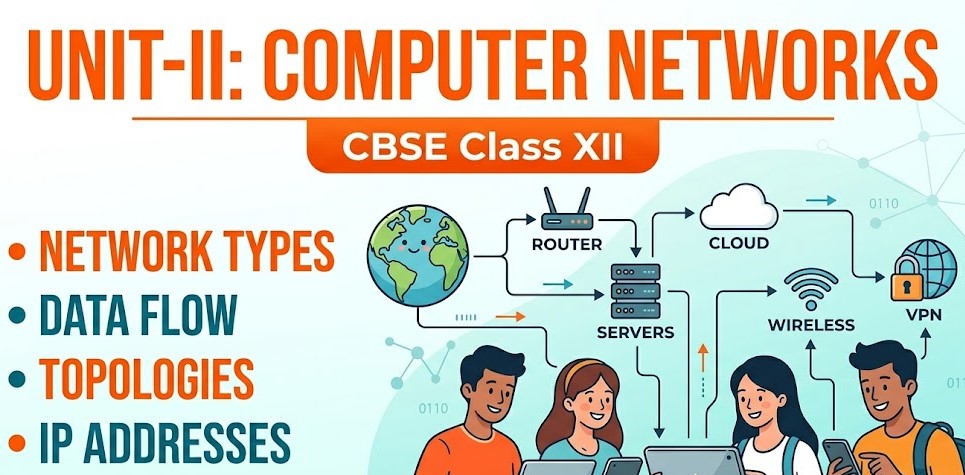











1. Foundations of Networking and System Architecture
The architecture of data management has undergone a strategic evolution, shifting from localized, isolated storage to a globalized, centralized networking model. In the pre-networking era—exemplified by traditional banking—data was confined to physical registers or local hard drives. A customer’s record existed only at their specific “home branch.” If a deposit was made in one city, a branch in another city had no means of accessing that ledger.
The advent of networking eliminated these information silos. By interconnecting autonomous systems, organizations moved to a Centralized Server model. In this framework, data resides in one logical location (the server) but remains accessible from any authorized node. This connectivity is the backbone of modern efficiency, enabling real-time global transactions and seamless resource management.
Essential Definitions
- Computer Network: An interconnection of two or more autonomous computing devices (Nodes) designed to exchange information and share resources.
- Nodes / Hosts (Workstations): Any device—such as a computer, printer, or smartphone—attached to a network that is capable of sending, receiving, or originating data.
The Strategic Value of Network Integration
Networking is implemented to maximize organizational utility through three core pillars:
- Resource Sharing:
- Hardware: Sharing expensive peripherals like high-end laser printers or scanners across an entire office.
- Software: Utilizing central application licenses rather than installing individual copies on every node.
- Storage: Accessing massive centralized storage (Hard Disks/Cloud) from local nodes with limited capacity.
- Enhanced Communication Mediums: Providing the infrastructure for instantaneous email, video conferencing (VoIP), and real-time collaborative environments.
- Centralized Control and Security: Enabling administrators to manage user permissions, deploy updates, and ensure data integrity from a single point of command.
2. The Evolution of the Internet: A Chronological Analysis
The Internet originated as a resilient communication solution for military and academic needs, designed to survive localized infrastructure failures before maturing into a commercial necessity.
Milestones in Networking History
| Year | Milestone / Technology | Significance |
| 1969 | ARPANET | The first functional network developed by the US Dept. of Defense. The first nodes were established at UCLA and SRI. |
| 1971 | The Birth of Email | Developed by Ray Tomlinson, introducing the ‘@’ symbol for addressing. |
| 1974 | “Internet” Term | The term was first coined to describe a global system of interconnected networks. |
| 1982/83 | TCP/IP & DNS | Standardization of the Transmission Control Protocol/Internet Protocol and the Domain Name System. |
| 1986 | NSFNET | National Science Foundation Network; a high-speed backbone for academic research. |
| 1990 | HTML & WWW | Tim Berners-Lee invented the World Wide Web, Hypertext Markup Language, and URLs. |
| 1991 | Public Access | The Internet was officially opened to the general public. |
| 1995/98 | Commercialization | Launch of Amazon (1995) and Google (1998), revolutionizing commerce and search. |
The “So What?”: The transition of ARPANET from a closed military project to academic institutions like UCLA and SRI allowed global experts to iterate on its design. This “opening of the gates” transformed a defense tool into the public utility we rely on today.
3. Data Communication Mechanics and Capacity Measurement
Data communication is a governed exchange between devices; it is a structured process rather than a random transfer of bits.
The Five Components of Data Communication
- Sender: The device that initiates the data transfer.
- Receiver: The device intended to accept the data.
- Message: The actual information (text, image, audio, video) being transmitted.
- Medium: The physical or wireless path (cables or airwaves) through which data travels.
- Protocols: The set of “agreed-upon rules” that govern how communication is established and maintained.
Analyzing Network Capacity
In a professional networking context, we distinguish between theoretical potential and practical performance:
- Bandwidth: The maximum amount of data that a communication channel can theoretically transmit per second.
- Data Transfer Rate (Throughput): The actual speed of data transmission achieved at a given moment. This is influenced by network load, medium quality (attenuation), and the number of active users.
Standard Units of Measurement:
- bps: bits per second
- kbps: kilobits per second
- Mbps: Megabits per second (standard for modern Broadband/Wi-Fi)
- Gbps: Gigabits per second (standard for high-speed Fiber Optic backbones)
4. Switching Techniques: Circuit vs. Packet Switching
Switching defines the efficiency of a connection by determining how a “path” is established between nodes.
| Feature | Circuit Switching | Packet Switching |
| Mechanism | Establishes a dedicated physical path for the duration of the session. | Breaks data into small “packets” that take various routes to the destination. |
| Example | Traditional Landline Telephony. | The Modern Internet. |
| Efficiency | High wastage; the path remains occupied even when no data is sent. | High efficiency; resources are utilized only during actual data flow. |
| Reliability | If the physical line fails, the connection is lost. | Highly robust; packets automatically reroute if one path fails. |
The “So What?”: The modern Internet relies exclusively on Packet Switching because it allows millions of users to share the same physical infrastructure simultaneously, ensuring scalability and resource optimization.
5. Transmission Media: Guided and Unguided Channels
Guided (Wired) Media: Physical Paths
| Media Type | Technical Description | Primary Use Case |
| Twisted Pair | Two copper wires twisted to reduce EMI; available as UTP/STP. | LAN environments; Telephone lines. |
| Coaxial Cable | Central copper wire with heavy shielding and insulation. | Cable TV (DTH); high-bandwidth local connections. |
| Optical Fiber | Glass/plastic fibers using Total Internal Reflection to transmit data as light pulses. | Long-distance, high-speed backbones. Immune to EMI. |
Unguided (Wireless) Media: Air-Based Channels
| Media Type | Technical Characteristics | Primary Use Case |
| Radio Waves | Omni-directional and long-range; prone to interference. | FM Radio; Television broadcasting. |
| Micro-waves | High-speed transmission requiring a strict Line of Sight (LoS). | Tower-to-tower and Satellite links. |
| Infrared | Very short-range; cannot penetrate walls or solid objects. | TV remotes; wireless keyboards. |
| Satellite | Facilitates intercontinental communication via a Network Operations Center (NOC). | Global GPS; International broadcasting. |
——————————————————————————–
6. Network Hardware: The Interconnectivity Toolkit
NIC (Network Interface Card)
A hardware circuit board required to interface a device with a network.
- MAC Address: Every NIC has a unique physical address known as the Media Access Control address.
- Address Structure: It is a 6-byte (48-bit) ID. The first 3 bytes are the Manufacturer ID (assigned by the IEEE), and the last 3 bytes are the unique Card Number assigned by the manufacturer.
Essential Interconnectivity Devices
- Modem (Modulator-Demodulator): Converts digital signals from a computer into analog signals for transmission over phone lines (and vice-versa).
- Repeater: A device that regenerates signals that have become weak due to Attenuation over long distances. Its primary function is to restore the original signal strength to prevent data loss.
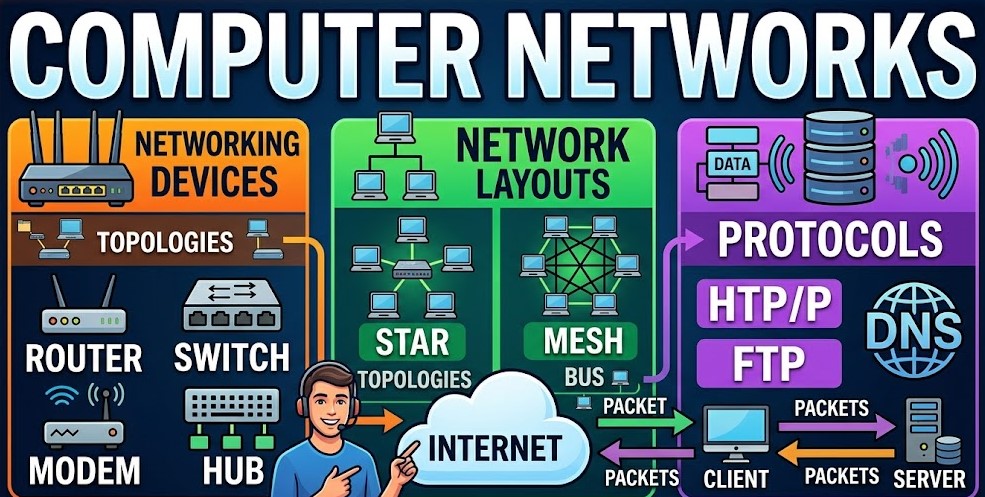
- Hub vs. Switch (Layer 2 / Data Link Layer):
- Hub: A “dumb” device that broadcasts incoming data to all connected ports, leading to high traffic and potential collisions.
- Switch: An “intelligent” device that uses MAC addresses to unicast data to the specific recipient. It manages collision avoidance, making it significantly more efficient than a hub.
- Router: An advanced device that analyzes network traffic to determine the best path for data packets between different networks.
- Gateway: A specialized device used to interconnect dissimilar networks that operate on different protocols.
7. Network Typologies and Topology Design
Network Types (By Geographical Span)
| Type | Full Form | Range / Scope |
| PAN | Personal Area Network | Within a 10m radius (e.g., Bluetooth, personal hotspots). |
| LAN | Local Area Network | Within 1km (e.g., a school, office, or building). |
| MAN | Metropolitan Area Network | Within 50km (e.g., a city-wide cable network). |
| WAN | Wide Area Network | Spans countries or continents (e.g., the Internet). |
Network Topologies (Physical Layout)
- Bus: All nodes connect to a single backbone cable. Cost-effective, but if the backbone fails, the entire network crashes.
- Star: Every node connects to a central Switch. This is the most common LAN layout; if one node fails, the rest of the network remains operational.
- Tree: A hierarchical combination of Star and Bus layouts; highly scalable but complex to maintain.
- Mesh: Every node is connected to every other node. It offers the highest reliability and redundancy, but is extremely costly.
8. Network Protocols and Communication Modes
Protocols are the “language” of the internet, ensuring that diverse hardware can communicate successfully.
Key Protocols by Function
- Web Access: HTTP (Hypertext Transfer Protocol) for standard web browsing; HTTPS for secure, encrypted transactions.
- File/Mail: FTP (File Transfer Protocol) for file movement; SMTP (Simple Mail Transfer Protocol) for sending email; POP3 (Post Office Protocol 3) for receiving email.
- Core Connectivity: TCP/IP (Transmission Control Protocol/Internet Protocol) is the foundational suite of the Internet. PPP (Point-to-Point Protocol) manages direct connections between two nodes.
- Voice: VoIP (Voice over Internet Protocol) enables audio/video communication over digital networks (e.g., Skype, WhatsApp).
Communication Modes
- Simplex: One-way communication only (e.g., Traditional Radio or TV).
- Half-Duplex: Two-way communication, but only one party can send at a time (e.g., Walkie-Talkie).
- Full-Duplex: Simultaneous two-way communication (e.g., Mobile Phones, Video Calls).
9. Web Services and the Digital Ecosystem
It is vital for exam accuracy to distinguish between the Internet (the physical infrastructure of cables and hardware) and the World Wide Web (a service that operates on top of that infrastructure).
Essential Exam Terminology
- IP Address: A unique numerical label assigned to each device on a network.
- IPv4: 32-bit address (e.g., 192.168.1.1).
- IPv6: 128-bit address, developed to handle the exhaustion of IPv4 addresses.
- URL (Uniform Resource Locator): The unique address of a web resource, consisting of the Protocol (
http), Domain Name (google.com), and Path (/index.html). - HTML vs. XML: HTML uses fixed tags for data display; XML uses user-defined tags for data storage and transport.
- Web Servers vs. Browsers: A Server hosts and provides data; a Browser (Chrome, Safari) is the client software that requests and renders that data.
- Cookies: Small text files stored on the client’s browser to track sessions and user preferences.
- Add-ons vs. Plug-ins: Add-ons extend the browser’s interface/functionality; Plug-ins (like Flash) allow the browser to process specific types of content.
Exam Strategy: High-Frequency Topics
- [ ] VoIP: The protocol used for any real-time audio/video exchange over the web.
- [ ] MAC Address: Know the 6-byte split: 3 bytes for Manufacturer (IEEE) and 3 for the Card Number.
- [ ] Star Topology: The modern standard; understand its central switch and its “single point of failure” (the switch itself).
- [ ] Fiber Optics: Fast transmission via light pulses and Total Internal Reflection.
- [ ] Repeater: Necessary to overcome Attenuation in long-distance cabling.
- [ ] Domain Name Resolution: The process of converting human-readable URLs into IP addresses via DNS.