









1. Introduction to Data Persistence
In software architecture, data is the most critical asset, yet it is inherently ephemeral when confined to Random Access Memory (RAM). As a developer, the “So What?” factor of file handling is absolute: without it, your program suffers from “Ghajini-style” short-term memory loss. The moment the power cuts or the execution terminates, every variable, state, and calculation vanishes.
File handling is the bridge between volatile execution and permanent storage. It allows us to transition data from the high-speed but temporary environment of the RAM to the stable, non-volatile environment of the Disk.
Architectural Comparison: RAM vs. Disk Storage
| Feature | RAM (Temporary Memory) | Disk Storage (Permanent Memory) |
| Volatility | Volatile (Data lost on power-off) | Non-volatile (Data persists indefinitely) |
| Speed | Nanosecond latency (Extremely Fast) | Millisecond latency (Slower access) |
| Analogy | “Ghajini-style” short-term memory | A physical library or permanent notebook |
| Usage | Active computation and runtime state | Long-term archival and data persistence |
| Capacity | Expensive, limited (e.g., 16GB) | Cost-effective, massive (e.g., 2TB) |
Senior Developer Pro-Tip: Persistence introduces the risk of “File Not Found” exceptions. Always implement defensive coding by using os.path.exists() or try-except blocks before attempting to read from the disk.
——————————————————————————–
2. The Taxonomy of Python Files: Text, Binary, and CSV
The choice of file format is a strategic decision based on data security, processing speed, and interoperability.
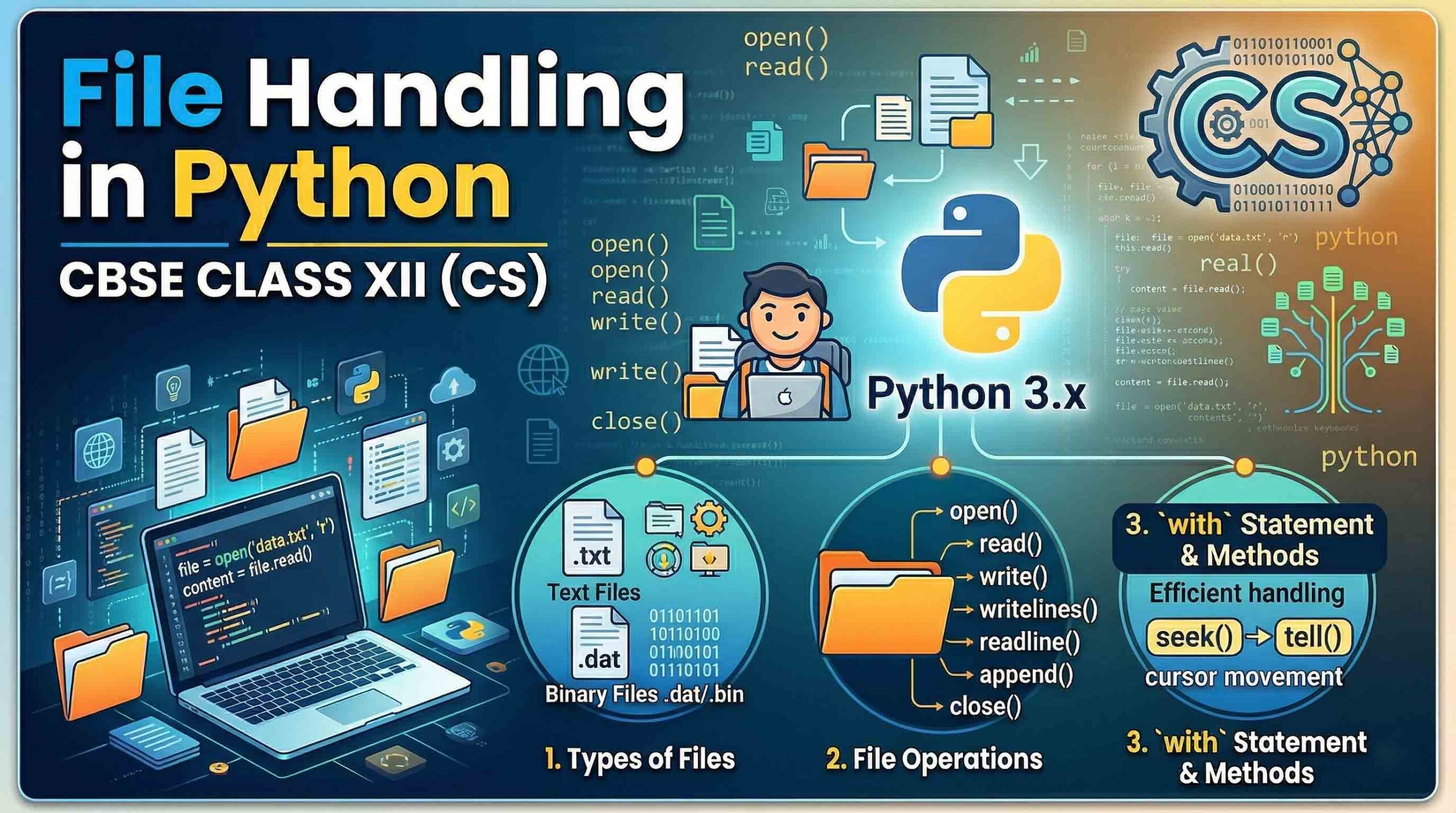
- Text Files (.txt): Human-readable sequences of characters. They utilize EOL (End of Line) characters and standard encoding (ASCII/Unicode). Use these for simple logs and configuration files.
- Binary Files (.dat): These store data as raw bytes (0s and 1s). They are non-human-readable, offering a layer of basic security through obfuscation and significantly faster processing. Use Binary for preserving complex object states (Serialization).
- CSV Files (.csv): Comma Separated Values are specialized text files for tabular data. They are the industry standard for interoperability with MS Excel and database migrations.
Selection Framework
- Text (.txt): High readability, low security, universal compatibility.
- Binary (.dat): High security, high performance, requires Python-specific unpickling.
- CSV (.csv): High interoperability, ideal for structured datasets and spreadsheets.
——————————————————————————–
3. The File Handling Lifecycle: Open, Process, and Close
Python follows a rigid architectural sequence to ensure data integrity and system stability.
- Opening: The
open()function creates a File Handle. From an OS perspective, this is a pointer to a resource in the system’s file table. - Processing: This is the execution phase where you perform Reading (
r), Writing (w), or Appending (a). - Closing: Closing a file is non-negotiable. It releases the OS resource and triggers an “auto-save” by flushing the buffer. Failure to close files leads to resource leakage, which can crash production systems.
# Establishing the File Handle (The OS Resource Pointer)
file_handle = open("production_logs.txt", "r")

# ... Processing Logic ...

# Mitigating resource leakage
file_handle.close()
——————————————————————————–
4. Navigating Access Modes: The Precedence Framework
Choosing the wrong mode is the leading cause of accidental data destruction. You must understand the Rules of Precedence when using “plus” modes.
| Mode | Name | Description | Pointer Position | Precedence Rule |
r | Read | Default. Error if file is missing. | Start | N/A |
w | Write | Overwrites existing content. | Start | N/A |
a | Append | Preserves content; adds to end. | EOF | N/A |
r+ | Read+ | Read and Write capability. | Start | Read Priority: Error if file is missing. |
w+ | Write+ | Write and Read capability. | Start | Write Priority: Overwrites existing file. |
a+ | Append+ | Append and Read capability. | EOF | Append Priority: Creates file if missing. |
⚠️ CRITICAL WARNING: The w mode is destructive. Opening an existing file in w mode immediately truncates the file to zero bytes before you even execute a write command.
——————————————————————————–
5. Deep Dive: Reading Operations in Text Files
Python provides three distinct methods for data retrieval, each with different memory implications.
read(n): Reads the entire file orncharacters. Use this for small files.readline(): Reads a single line. Note: This retains the newline character (\n) at the end of the string. Professional developers use.strip()to clean this data.readlines(): Reads the entire file into a list of strings.
The File Pointer Behavior: The pointer acts like a cursor. If you read 20 bytes, the pointer rests at position 20. Subsequent read calls begin from that exact location, not the start of the file.
——————————————————————————–
6. Deep Dive: Writing and Appending Operations
To persist program variables, we use write() for strings and writelines() for sequences (lists).
Code Comparison: Preservation vs. Destruction
Scenario: The file data.txt contains the string: "Initial Data"
| Operation | Code Example | Resulting File Content |
Write (w) | open("data.txt", "w").write("New") | "New" (Old data is destroyed) |
Append (a) | open("data.txt", "a").write("New") | "Initial DataNew" (Data preserved) |
——————————————————————————–
7. Advanced File Navigation: Seek and Tell
Random access allows you to move the pointer without reading every byte sequentially.
tell(): Returns the current byte position of the pointer.seek(offset, whence): Moves the pointer.0: Absolute start of the file.1: Relative to current position.2: Relative to the end of the file.
Technical Constraint: In Python 3, seeking from the current (1) or end (2) positions with a non-zero offset is generally only supported in Binary Mode. For text files, use seek(0) to reset to the beginning.
——————————————————————————–
8. Modern Standards: The with Statement and flush()
Automatic Resource Management
The industry standard is the with statement. It creates a context manager that guarantees the file is closed even if an exception occurs during processing.
with open("data.txt", "r") as f:
    data = f.read()
# File is automatically closed here - No resource leakage
The flush() Method
Python buffers data for performance. The flush() method forces the buffer to write to the disk without closing the file. This is essential for long-running logging processes where you cannot afford to lose data during a system crash.
——————————————————————————–
9. Specialized Processing: Binary and CSV Modules
Binary Files (The pickle Module)
Serialization (Pickling) converts Python objects into byte streams for storage.
- Pickling:
pickle.dump(object, file_handle)— Use modewb. - Unpickling:
pickle.load(file_handle)— Use moderb.
CSV Files (The csv Module)
The csv.writer is a wrapper around the file handle that simplifies tabular data entry.
- Requirement: Always use
newline=''in theopen()function to prevent blank rows between records. - Methods:
writerow()for single records;writerows()for nested lists.
——————————————————————————–
10. Conclusion and Standard Library Best Practices
Mastering the transition from volatile RAM to persistent disk storage is a hallmark of professional Python development. By architecting your file operations using the modern with statement and choosing the correct access modes, you ensure data integrity and system performance.
Pro-Developer Checklist
- ✅ Always use
with open(...): Prevent resource leakage automatically. - ✅ Implement
newline=''for CSVs: Maintain clean formatting across OS platforms. - ✅ Use Binary (
.dat) for Security: Leveragepicklefor complex object persistence and obfuscation. - ✅ Respect the
wMode: Never use Write mode unless you explicitly intend to purge existing data. - ✅ Manually
flush()Logs: Force buffer writes in long-running processes to prevent data loss. - ✅ Check Pointer Position: Use
tell()andseek()to optimize the processing of large datasets.